MusicMagic automates your daily music scheduling with intelligent rotation, sweep management, live request handling, and AI-powered analysis — all built specifically for RadioDJ. Even when scheduling days ahead, it knows what's coming.
From intelligent rotation to live song requests — MusicMagic handles it all while you focus on your broadcast.
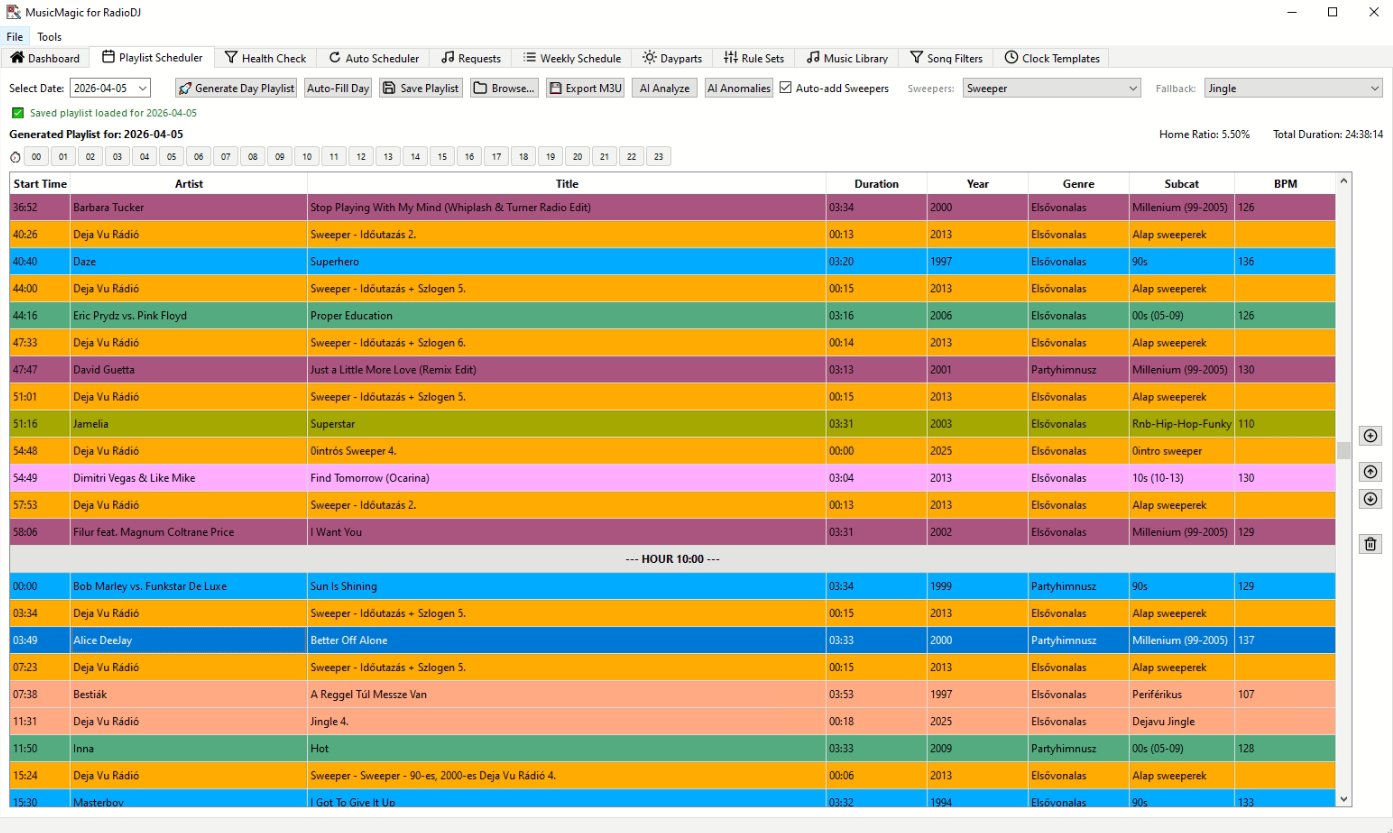
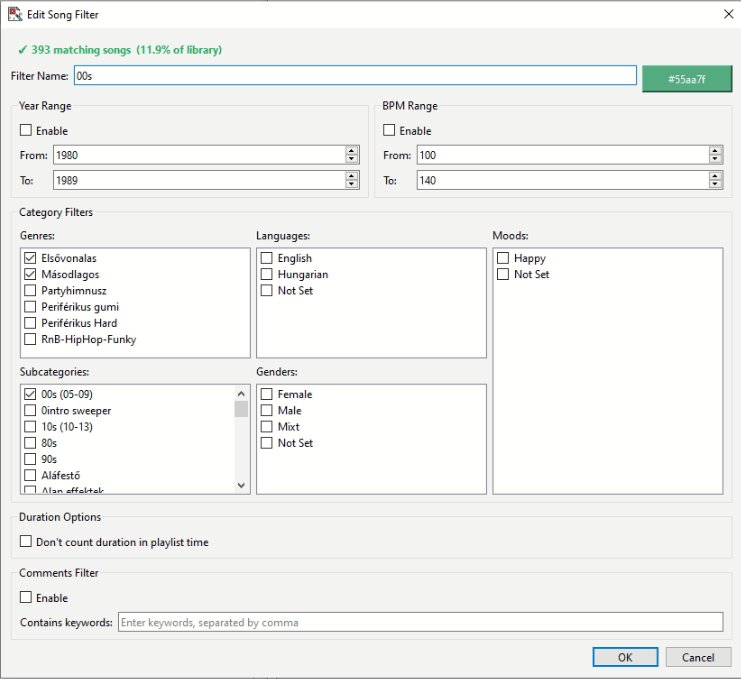
Generate full 24-hour playlists based on Clock Templates. Configurable song filters, rule sets, and rotation logic ensure musical diversity throughout the day.
Songs are scheduled based on last play date — but MusicMagic doesn't rely solely on RadioDJ's history table. It builds a virtual history from previously generated playlists, so even when scheduling 5 days ahead, it already knows what's "been played" on days 1–4 and won't rotate the same tracks back too early. If you've ever fought with RadioDJ's history-only rotation when pre-scheduling, you know exactly why this matters.
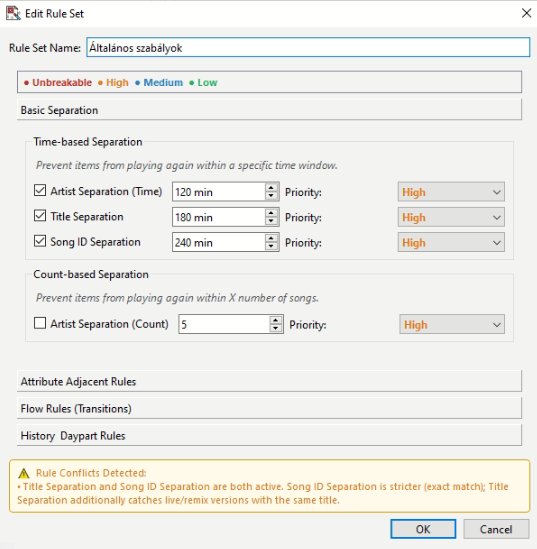
Set artist, title, and song ID separation times. Configure Unbreakable, High, Medium, and Low priority rules. Yesterday Same Hour and Daypart Lockout prevent boring patterns.
Automatically inserts station sweepers before songs based on intro length. Supports per-clock and global sweeper filters, fallback jingles, and associated sweeper overrides.
Schedule daily generation and hourly M3U refresh automatically. Protects the current hour from overwrites. Cleans up old playlist files automatically.
Polls RadioDJ's requests table and writes the pending song into the request M3U file. Supports pre/post announcement audio, automatic detection when played.
Visual analysis of the generated playlist — separation violations, rotation quality, rule compliance, and hourly content distribution at a glance.
Analyze your playlist with Google Gemini AI. Get editorial feedback on flow, diversity, peak hour programming, and anomaly detection — in seconds.
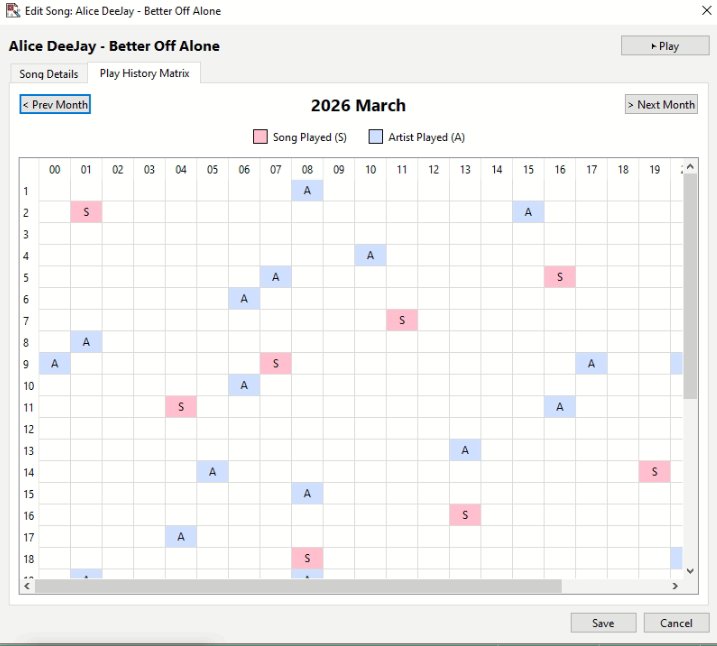
14-day day×hour heatmap per song. See exactly when a song was played or is planned. Spot overplayed tracks before they become a problem — per song, per hour.
Test any song against all configured rule sets instantly. Shows PASS, RELAXABLE, or BLOCKED for each rule individually. Available directly from the song editor.
Restrict songs to yearly date ranges (e.g. Christmas music: Dec 06 → Dec 26) or specific daypart hours per song. Both support wrap-around ranges.
After every generation, see a full breakdown of rule relaxations, hard blocks, and filter difficulty. Understand every scheduling decision at a glance.
Post-generation cleanup pass: artist clustering, BPM flow smoothing, language clustering. Each rule is individually configurable in Settings.
Enable "No Consecutive Same Language" per Clock Template to prevent two same-language tracks playing back to back. Falls back gracefully on small pools.
RadioDJ's history table only knows what has already aired. If you generate playlists 3–5 days in advance, the scheduler has no idea what's planned for those future days — leading to the same tracks repeating far too soon.
RadioDJ history is empty for future days → rotation ignores Monday's playlist when building Tuesday → same songs appear again within hours.
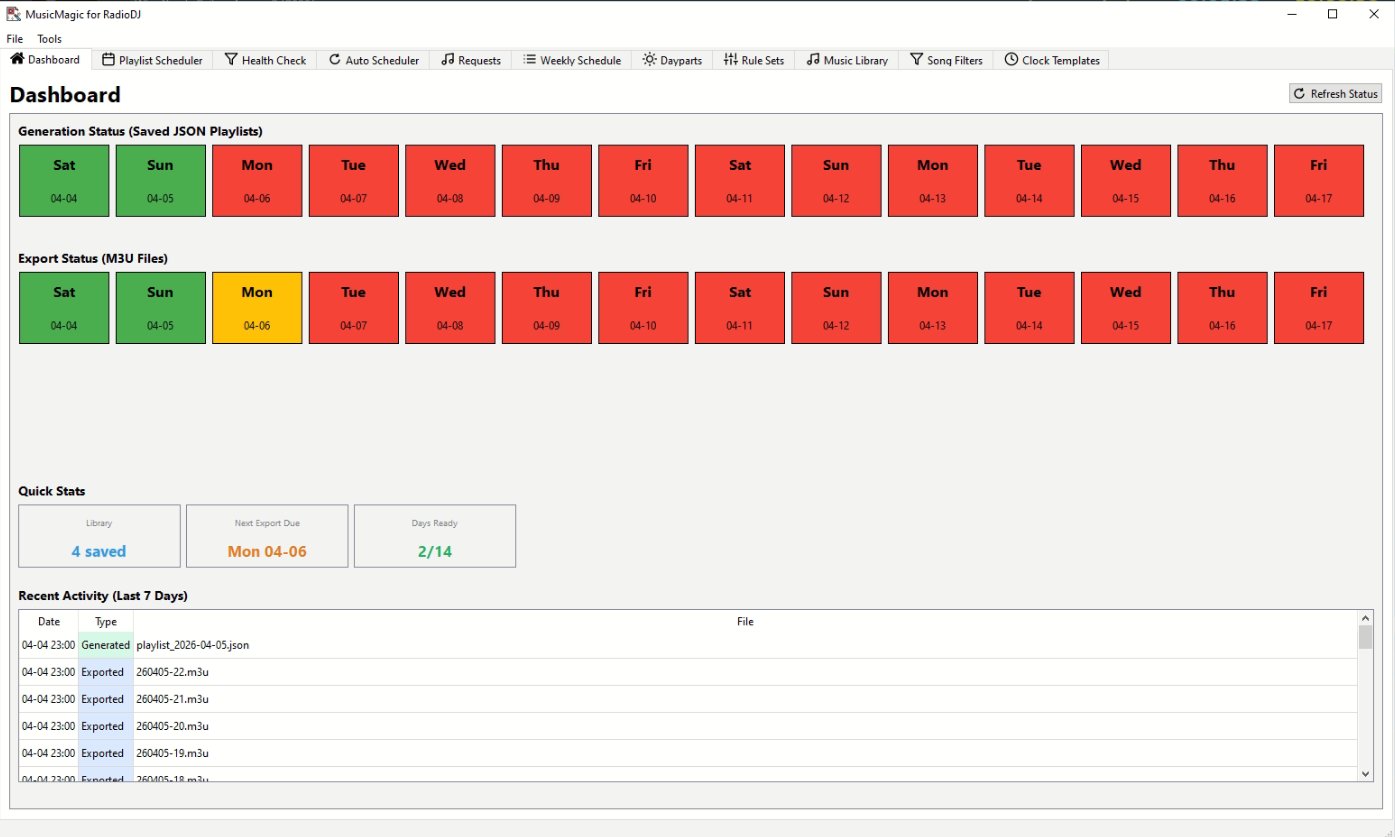
MusicMagic reads saved playlist JSON files for previous days → knows exactly what played (or is planned) → separation rules apply correctly across all scheduled days.
Virtual history lookback is configurable — default 30 days, adjustable up to 90.
MusicMagic integrates directly with your existing RadioDJ database. No complex setup required.
Enter your RadioDJ MySQL database credentials. MusicMagic reads your songs, categories, and history directly.
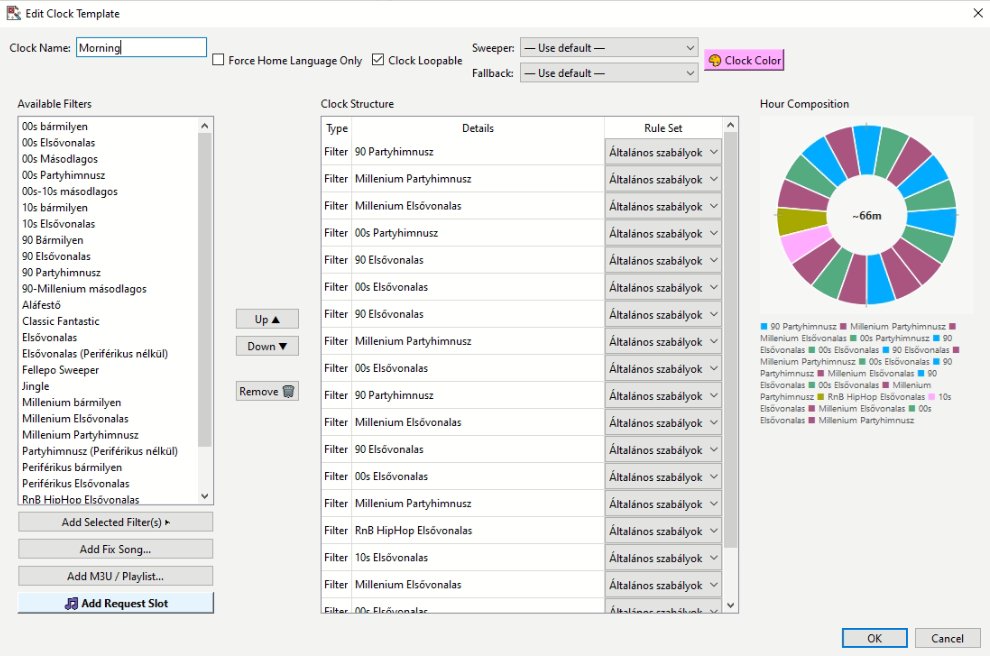
Build Clock Templates that define which song filters run in each hour. Assign rule sets and sweeper filters per clock.
Generate a full day playlist with one click. Export as a single 24h M3U or 24 separate hourly files with optional –1h offset.
Enable the Auto Scheduler for hands-free daily generation and hourly M3U refresh. MusicMagic runs in the background.
Every screenshot is taken directly from MusicMagic for RadioDJ.
Start with a free 7-day trial. No credit card required. Upgrade anytime.
.exe file — just download, run and connect to your RadioDJ database.
Download MusicMagic.exe and place it in a folder of your choice, e.g. D:\musicmagic\. Double-click to launch — no installation needed.
Open Tools → Settings and enter your RadioDJ MySQL host, user, password, and database name. Click OK to save.
In Settings, click Initialize Database. This adds the required MusicMagic tables to your RadioDJ database — your existing data is untouched.
After your 7-day trial, enter your license key in Tools → Activate License. The key is validated online — one key per installation.
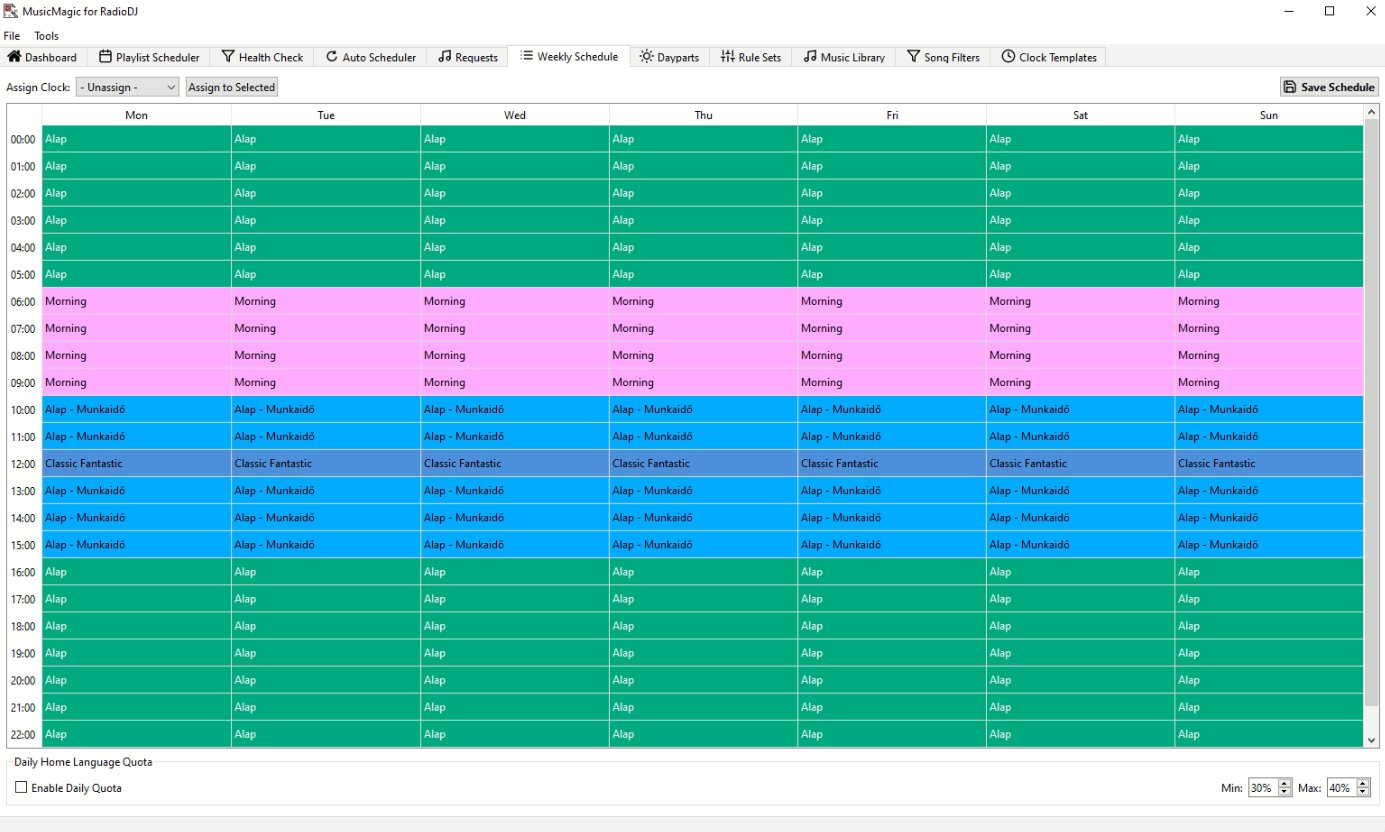
Go to Clock Templates, create a clock with your song filters, assign it to hours in Weekly Schedule, then hit Generate Day Playlist.
Join stations already using MusicMagic for RadioDJ.
7-day free trial, no credit card required.